
Stay Updated with the Latest Insights and Tips
Welcome to our blog page! At 222 Websites, we share valuable content designed to help your business thrive in the digital world. From web design trends to SEO strategies and digital marketing tips, our blog is your go-to resource for staying informed and ahead of the competition.

Mobile-Friendly Website Design: The Non-Negotiables for Small Businesses
Mobile-Friendly Website Design Essentials for Small Businesses: Responsive Best Practices and Optimization Tips
Mobile-friendly websites let small businesses serve phone and tablet users, protect engagement, and maintain conversions. This guide summarizes essential responsive practices, mobile usability basics, and practical performance tips to reduce friction and keep visitors on site.
Research backs up the need for mobile optimisation: many small firms lag behind, while those with stronger online presence and basic design elements are more likely to be mobile-optimised.
Small Business Mobile Optimization: Essential Design Elements
This study reports on the mobile optimization efforts of 376 small and mid-sized enterprises (SME’s) operating in a suburban sector of a major U.S. metropolitan area. We find that just under 50% of SME websites sampled were mobile optimized, defined as websites that render differently on a mobile browser than they do on a desktop browser. Firms with a greater Internet presence and firms whose websites include basic, essential design elements are far more likely to have a mobile optimized website than those who do not.
Internet presence as a small business capability: The case of mobile optimization, TA Voelker, 2017
What Are the Key Responsive Design Best Practices for Small Business Websites?
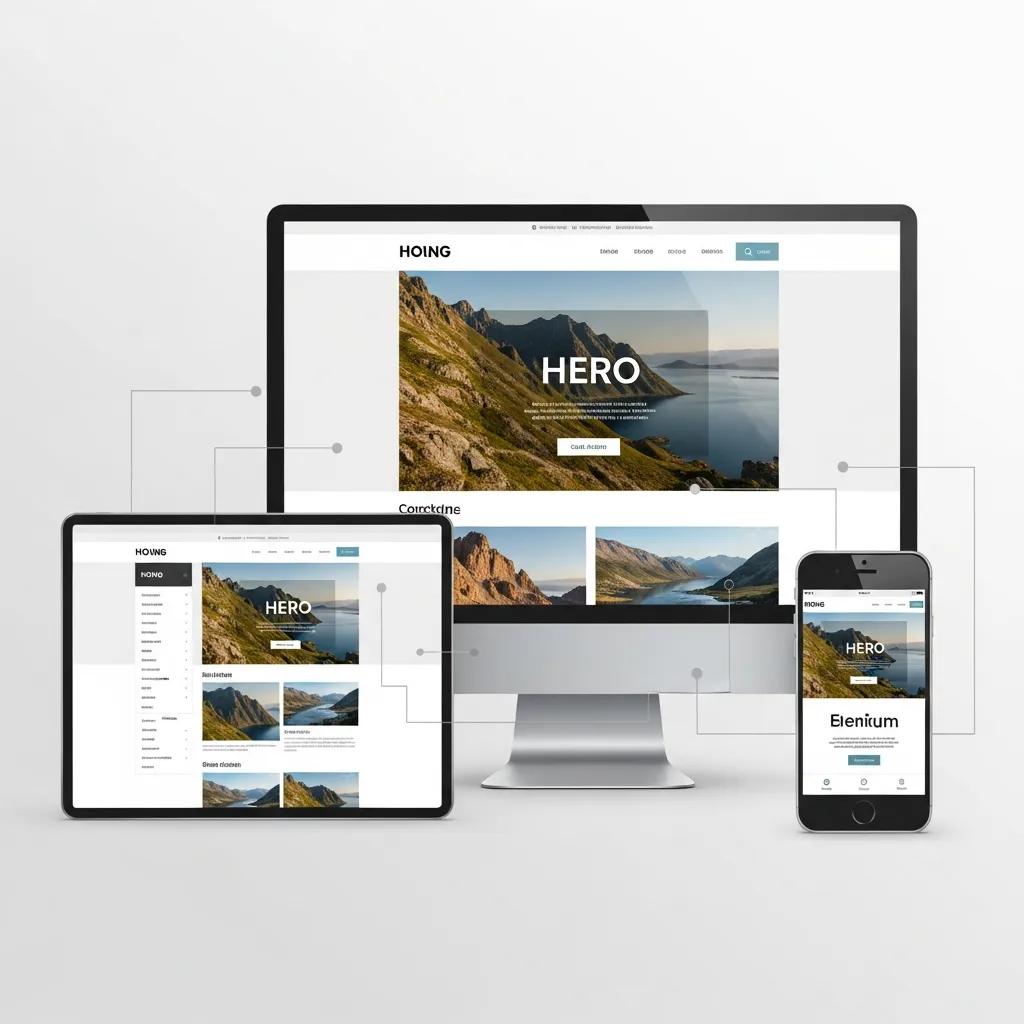
Responsive design adapts layout and content to screen sizes and orientations, improving readability and interaction on phones and tablets. Key practices include:
Fluid Grids: Use relative units (percentages/em) so layouts resize smoothly across devices.
Flexible Images: Make images scale within containers to avoid overflow or distortion.
Media Queries: Apply CSS rules for different widths, pixel densities, and orientations.
These techniques improve accessibility and user satisfaction across devices.
According to a 2023 report by Statista, over 58% of global website traffic comes from mobile devices, underscoring the critical importance of responsive design for small businesses aiming to capture this audience.
222Websites, a Charleston-based web design agency, builds responsive, mobile-friendly sites for small businesses to perform well on every device. Learn more about their services and explore their portfolio to see examples of successful projects.
How Does Responsive Design Improve Mobile Usability and User Experience?
Responsive layouts let users read and navigate without zooming or awkward scrolling, reducing frustration and bounce. Touch-friendly controls and appropriately sized tap targets increase interaction and conversions.
Google’s research indicates that 61% of users are unlikely to return to a mobile site they had trouble accessing, and 40% visit a competitor’s site instead, highlighting the direct impact of usability on business outcomes.
Which Design Elements Ensure Seamless Mobile Navigation?

Clear navigation guides visitors to key actions. Essential elements include:
Hamburger Menus: Compact navigation that keeps the layout clean on small screens.
Sticky Navigation Bars: Fixed headers let users access important links without scrolling up.
Touch-Friendly Buttons: Large, well-spaced buttons reduce mis-taps and frustration.
Keep menus simple and label actions clearly so users find what they need quickly.
How Can Small Businesses Optimize Mobile Site Speed for Better Performance?
Speed affects experience and search rankings. Slow pages raise bounce rates and cost conversions. Improve load times with targeted tactics:
Image Optimization: Compress and serve appropriately sized images to cut file weight.
Minification of CSS and JavaScript: Remove whitespace and unused code to reduce payloads.
Leverage Browser Caching: Cache static assets so returning visitors load pages faster.
According to Google, a one-second delay in mobile load times can reduce conversions by up to 20%, emphasizing the importance of speed optimization.
Smaller resources and caching produce consistently faster pages and better engagement.
EAV Table: Mobile Optimization Techniques
Below are common techniques and their benefits.
TechniqueMechanismBenefitImage OptimizationReduces file sizeFaster load timesCSS/JavaScript MinificationDecreases file sizesImproved loading speedBrowser CachingStores resources for quick accessEnhanced user experience
The table shows how combined strategies reduce latency and improve mobile performance.
What Techniques Reduce Mobile Bounce Rates Through Speed Improvement?
Keep visitors engaged by reducing delays. Helpful methods include:
Content Delivery Networks (CDNs): Serve assets from servers closer to users to cut latency.
Asynchronous Loading: Load non-critical scripts asynchronously to avoid render blocking.
Regular Performance Testing: Test speed and address bottlenecks on a schedule.
Use these tactics together to create a faster, more reliable mobile experience.
How to Implement Mobile Website Optimization Tips Effectively?
Use a focused process:
Conduct a Mobile Usability Audit: Identify specific pain points on your site.
Prioritize Changes: Tackle high-impact items first (speed, navigation, CTAs).
Monitor and Adjust: Track performance and user feedback, then iterate.
Methodical implementation keeps improvements measurable and sustainable.
What Are the Best Practices for Mobile Call to Action Design to Increase Conversions?
Effective CTAs are simple, visible, and easy to tap. Best practices:
Clear and Concise Messaging: State the action in plain language.
Contrasting Colors: Make CTAs stand out from the background.
Strategic Placement: Place CTAs where users naturally stop or in sticky headers.
Follow these rules to make CTAs more effective and boost conversions.
How Do Mobile-Friendly CTAs Enhance Calls and Form Submissions?
Visible, touch-ready CTAs lower friction and encourage users to call or submit forms. Large tap areas, clear labels, and obvious placement increase action rates.
Which Mobile Form Design Strategies Boost User Engagement?
Reduce friction in forms to improve completion rates. Try:
Simplified Fields: Ask for only essential information.
Auto-fill Features: Enable autofill to speed completion.
Progress Indicators: Show progress for multi-step forms to reduce abandonment.
These adjustments make forms faster and less frustrating to use.
Why Is Mobile Website Usability Critical for Small Business Success?
Good mobile usability drives engagement, lowers bounce, and increases conversions. Users expect smooth experiences; failure to meet that expectation can cost traffic and harm your brand. Investing in mobile usability supports growth.
According to a 2022 survey by Adobe, 38% of users will stop engaging with a website if the content or layout is unattractive on their device, highlighting the importance of mobile usability for brand perception.
How Does Improved Mobile Usability Impact Conversion Metrics?
When navigation and forms are simple, users complete actions more often. Optimised mobile experiences typically yield higher conversion rates, so usability should be part of your web design strategies. For comprehensive solutions, visit the 222 Websites homepage to get started.
What Recent Trends and Statistics Highlight Mobile Usability Importance?
Key takeaways show why mobile matters:
Mobile Traffic Growth: Over half of global web traffic is mobile, so optimisation is essential.
User Expectations: Most users won’t return after a poor mobile experience.
Conversion Rates: Mobile-optimised sites typically convert better than non-optimised sites.
Small firms should prioritise practical mobile design updates to capture this traffic.
To boost your online presence, explore the services from 222 Websites, which offer tailored solutions for small business needs. Check out their services and portfolio for inspiration.
Ready to Optimize Your Mobile Website?
Partner with experts to create a seamless mobile experience that drives engagement and conversions. Contact 222 Websites today for a personalized consultation.
Frequently Asked Questions
What are the common mistakes small businesses make in mobile website design?
Common errors include non-responsive layouts, slow pages, unoptimised images, cluttered content, and small or non-touch-friendly controls. Fixing these key items improves usability and conversions.
How can small businesses test their mobile website's usability?
Combine automated checks (Google’s Mobile-Friendly Test), analytics review, and simple user tests. Observe real users, fix recurring issues, and re-test after changes.
What role does mobile SEO play in website optimization?
Mobile SEO covers speed, usability, and mobile-friendly content. Search engines prefer mobile-ready sites, so responsive design and fast load times boost visibility and traffic.
How can small businesses improve their mobile site's accessibility?
Use readable fonts and strong contrast, add descriptive alt text, ensure interactive elements are keyboard-accessible, and run accessibility audits to find and fix issues.
What are the benefits of using a Content Delivery Network (CDN) for mobile sites?
A CDN reduces latency by serving assets from nearby servers, helps users on slower connections, and handles traffic spikes, which lowers load times and bounce rates.
How can small businesses keep up with mobile design trends?
Follow industry blogs, attend webinars, and review competitor sites for practical ideas. Regular learning and periodic site reviews help you adopt useful trends.

Unleash Your Business Brilliance.
Your Online Success Starts Here
© 2026 222 Websites - All Rights Reserved