Contractor Website Design: How West Virginia Trades and Construction Companies Win More Jobs Online
Contractor Website Design: How West Virginia Trades and Construction Companies Win More Jobs Online
When a pipe bursts, a roof starts leaking, or the power panel starts buzzing, homeowners don't browse. They grab their phone, search, and call the first contractor that looks trustworthy and easy to reach. Your website has a few seconds to pass that test.
Good website design for contractors isn't about fancy animations or clever slogans. It's about answering three questions fast: What do you do? Where do you work? How do I reach you?
This guide walks through the web design choices that turn searches into phone calls, page by page, whether you run a roofing crew, an electrical shop, a plumbing or HVAC company, or a construction business working anywhere from the Kanawha Valley to the Eastern Panhandle.
Why Web Design for Contractors Is Different
Most small business websites are built for people comparing options at a relaxed pace. Many of your potential clients are in a hurry, on a phone, and sometimes standing in a wet basement. That changes the priorities:
Speed matters more than style. A slow page on a weak mobile signal loses the call.
Trust has to be visible immediately. Homeowners are deciding whether to let you into their home.
The next step has to be obvious. If someone has to hunt for your phone number, they'll call someone else.
Strong contractor website design starts from those realities and works backward. Everything else, from colors to photos, should support them.
Your Website Is the Front Door of Your Online Presence
For many contractors and construction companies, the website is the hub of their whole online presence. Reviews, business listings, social media posts, and even the lettering on your trucks all send people to the same place. If the site looks dated or confusing, it undercuts everything else you're doing to get noticed.
Your site is also where your brand lives. A consistent logo, colors, and tone that match your trucks, uniforms, and yard signs make you look established and easy to remember. You don't need a big branding budget. You need consistency, so that someone who saw your truck on Monday recognizes your website on Friday.
The First Screen: Pass the Five-Second Test
What a visitor sees before scrolling decides whether they stay. On a phone, that first screen should include:
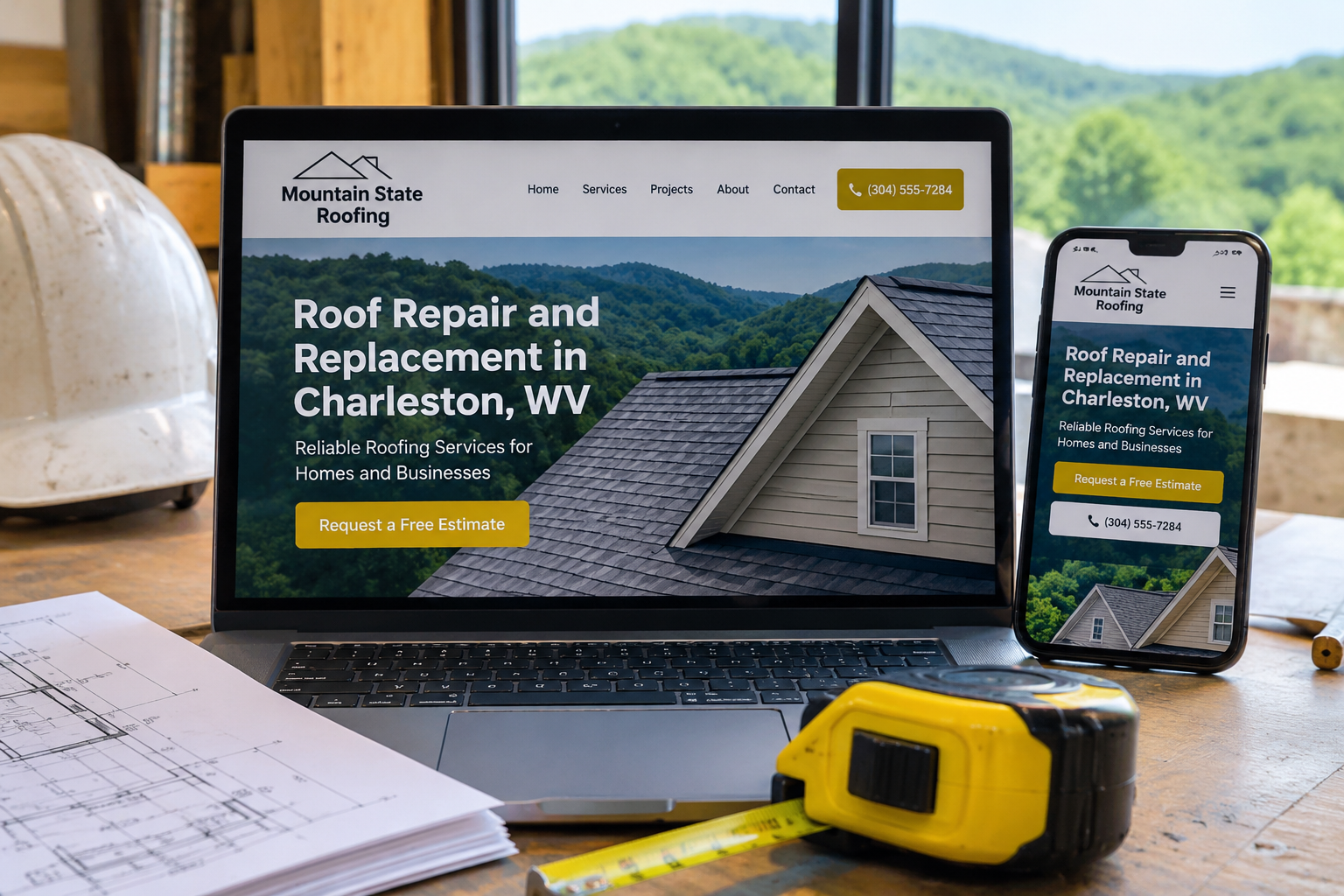
A plain headline that names your trade and your area, like "Roof Repair and Replacement in Charleston, WV." Skip slogans like "Quality You Can Trust." They don't tell anyone what you do.
A tap-to-call phone number that's real text, not an image, so it works with one tap.
One clear action, such as "Request a Free Estimate" or "Schedule Service,
A quick trust cue, like a line about being licensed and insured if that applies to you, or a short testimonial.
Avoid rotating sliders and oversized logos up top. They push the important information below the fold and slow the page down.
The Pages Every Contractor Website Should Have
You don't need dozens of pages, but you do need the right ones. Our post on the best website pages for small businesses goes deeper on what each page should say.
A homepage that routes people quickly
Your homepage should confirm what you do and where, show proof, and send visitors to the right service or straight to a call. Think of it as a dispatcher, not a brochure.
One page for each core service
A single "Services" page that lists everything rarely ranks well for anything. Give each main service its own page: roof replacement, storm damage repair and gutter installation are different searches with different customers. Each service page should explain:
What problems bring people to you
What the service includes, in plain language
What the process looks like from first call to finished job
Photos of real work and a relevant testimonial
A clear way to call or request service
Location pages for the towns you serve
If you work across several towns or counties, a well-built page for each main area can help you show up when people search by their own town name. Each one needs real local substance, like jobs you've done there and the neighborhoods you cover, not just a swapped-in city name.
An about page with real people
Homeowners want to know who's showing up. Share your story, your team and how you work, with real photos of your crew and trucks.
A contact page that makes it easy
Put your phone number at the top, add a short form, list your service area and explain what happens after someone reaches out.
Showcase Your Work With a Real Portfolio
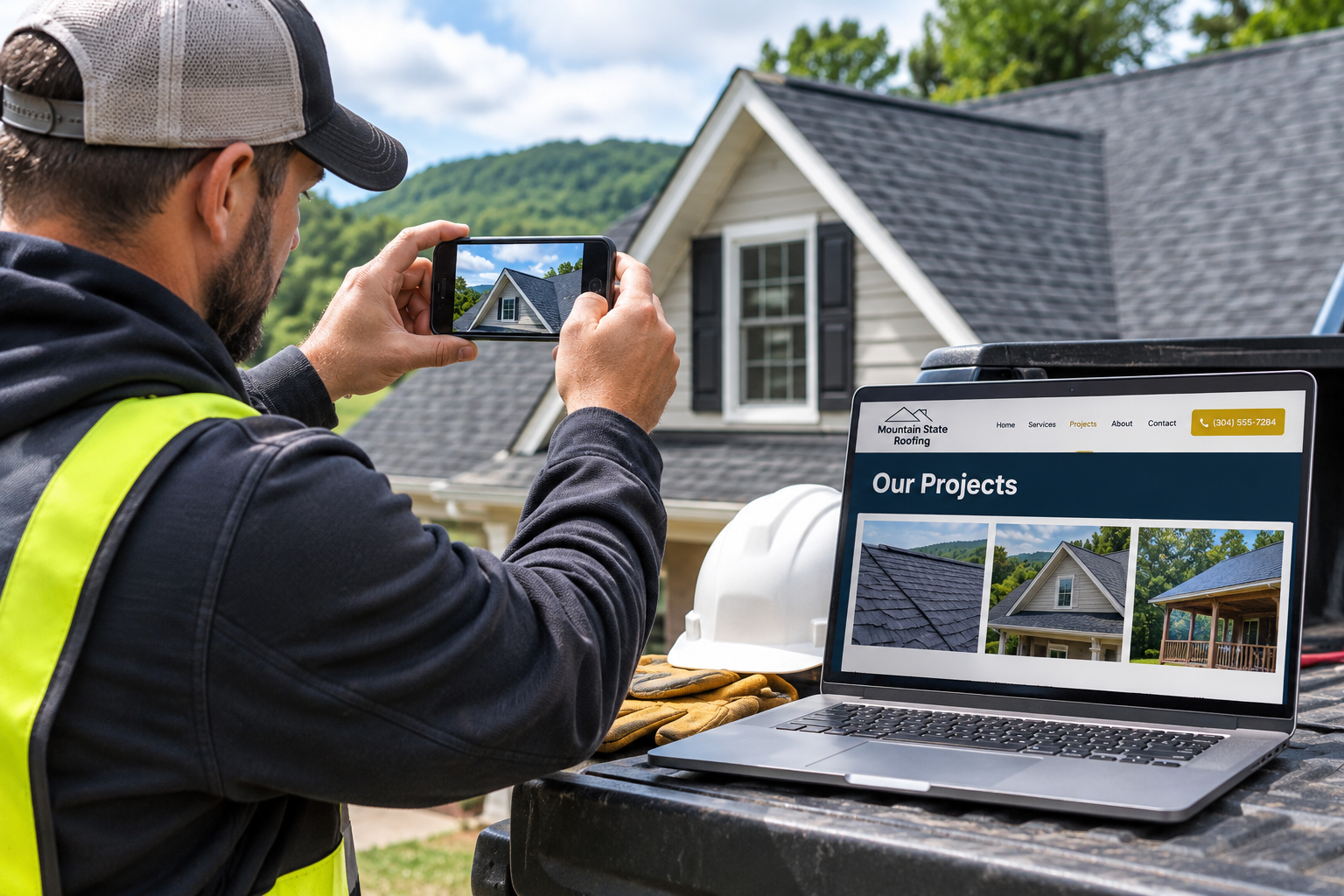
For trades and construction companies, a project portfolio is often the most persuasive part of the site. People want to see what you've actually built, fixed, or installed.
What to include in your portfolio
Before-and-after photos that show the difference your work makes.
A short description of each job: what the problem was, what you did, and where (town or neighborhood, not the street address).
Organize by service, so someone researching a new roof sees roofing projects, not a random mix.
Your own photos, not stock images. Phone photos taken in good light are fine.
Get your customers' permission before posting photos of their homes, and keep personal details out of captions.
Keep it growing
A portfolio is never finished. Make it a habit to snap photos at the end of every job and add the best ones each month. A steady stream of recent projects shows visitors that you're busy and trusted.
Trust Signals That Help Homeowners Say Yes
You're asking people to trust you with their homes and their money. Your web design should make that trust easy to give, and these are the elements that build trust fastest:
Licensing and insurance. If your trade requires a license, consider showing your license number where people can see it. Check West Virginia's current rules for your trade on how license numbers must appear in advertising. Testimonials and reviews. Show genuine customer testimonials near the services they mention, and link to where people can read more reviews. Never write or edit reviews yourself.
Real photos. Your team, your trucks, your finished jobs. Stock photos of smiling models in hard hats work against you.
Specific warranty language, if you offer one. Spell out what's covered instead of saying "satisfaction guaranteed." Only promise what you actually provide.
Affiliations and credentials you genuinely hold, like trade association memberships or manufacturer certifications.
Navigation, Responsive Design and Speed
Keep navigation simple
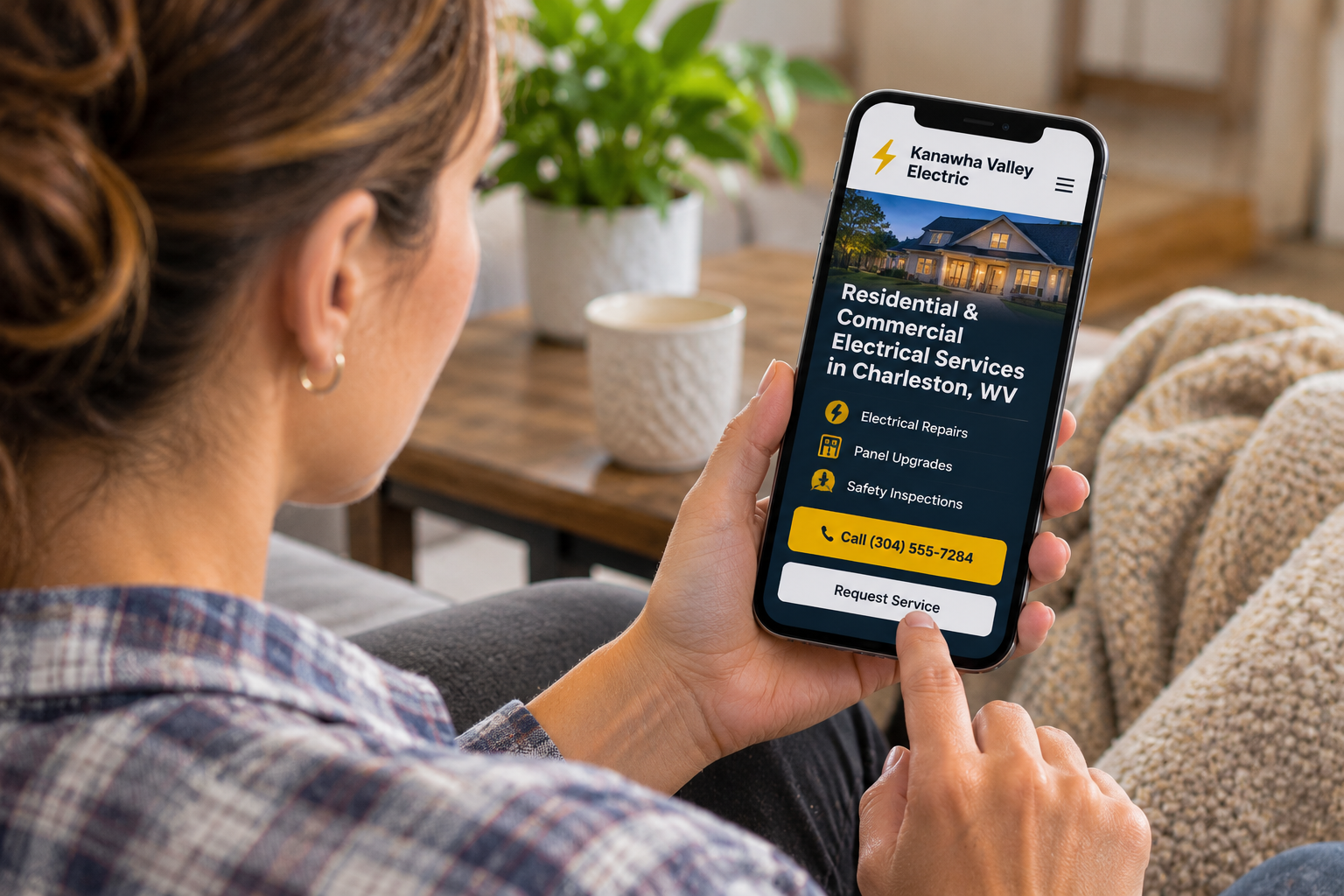
Visitors should find any important page in one or two taps. Use plain menu labels like "Services," "Our Work," "Service Areas," "About," and "Contact." Avoid clever names nobody understands, and don't bury key services three menus deep. On phones, keep the menu short and the call button always visible.
Build with responsive design
Responsive design means your site automatically adjusts to fit any screen, from a phone to a desktop monitor. Since many of your visitors are likely on a phone, design for small screens first: big tap targets, short paragraphs, a sticky call button, and menus that are easy to use with one thumb. Our guide to mobile-friendly website design covers the non-negotiables.
Keep pages fast
Compress large project photos, avoid heavy video backgrounds, and keep unnecessary plugins off the site. Speed optimization keeps impatient visitors around and helps search engines too. See how load time affects SEO and leads.
Make forms short
Ask only what you need to call someone back: name, phone, town, and a short description of the job. Every extra field is a reason to quit. Put a form on your service pages, not only on the contact page.
Contractor SEO and Local SEO Basics
Good web design and good SEO work together. Contractor SEO is simply search engine optimization focused on the searches your customers make, like "[service] in [town]" or "[service] near me." Because most of those searches are local, local SEO does a lot of the heavy lifting. A few basics go a long way:
Use the service and town in each page's title and main heading.
Keep your business name, address (if customers visit it), and phone number consistent everywhere they appear online.
Write helpful answers to the questions customers actually ask you on the phone.
Link your service pages, location pages and portfolio to each other so visitors and search engines can find everything.
Keep your business listings accurate and point them to the most relevant page on your site.
None of this replaces good work and happy customers, but it helps the right people find you when they need you.
Templates, Website Builders or Custom Web Design?
You have three broad options for building your site:
A DIY website builder or template. Low upfront cost and quick to start. The tradeoff is your time, and templates can be generic, slow, or hard to adapt as you grow.
A template customized by a professional. A middle path that gets you a cleaner, faster site without starting from scratch.
Custom web design. Built around your services, service area, and brand. It usually takes more planning but gives you the most control over layout, speed, and how leads come in.
The right choice depends on your budget, how much time you have, and how much you rely on the website for new work. Whatever you choose, judge it by the basics in this guide: clear headline, easy calls, real photos, fast pages and simple navigation.
Common Mistakes to Avoid
Hiding the phone number in the footer or behind a menu.
Using a slogan instead of a clear headline.
Leaning on stock photos instead of a real portfolio.
Putting every service on one page.
Letting the site go stale, with old photos, outdated services or a copyright year from years ago.
Forgetting to test on a phone, where most of your customers will see it.
Frequently Asked Questions About Contractor Website Design
What should a contractor website include?
At minimum: a clear homepage, a page for each core service, a portfolio with real photos, an about page, testimonials, and an easy contact page. If you serve several towns, location pages can help too. Every page should make it easy to call or request service.
Do contractors really need a website if they get work from referrals?
Referrals still matter, but many referred customers look you up before they call. A professional site confirms you're legitimate and makes it easy for them to take the next step. It also helps you get found by people who don't know anyone to ask.
Should I show prices on my contractor website?
That depends on your trade and how you quote. Many contractors don't list exact prices but explain what affects the cost of a job. That sets expectations without boxing you in before you've seen the work.
How often should I update my website?
Add new portfolio photos and testimonials as jobs wrap up, and review your services, service area and contact details whenever something changes. A site that's clearly current builds more trust than one frozen in time.
Can I build the site myself?
You can, especially with a simple template. The tradeoff is time and results: a slow site, hard to use on a phone, or missing key pages can cost you calls. Many owners choose to have a professional handle the build so they can stay on the job.
Get a Contractor Website That Works as Hard as You Do
Homeowners in West Virginia judge contractors and construction businesses by their websites before they ever pick up the phone. Clear headlines, a real portfolio, visible trust signals, and an easy way to call make the difference between a quote request and a lost lead.
222 Websites builds responsive, SEO-friendly websites for small businesses, including contractors, electricians, and plumbers. You can see what's included on our website design page. We're based at 222 Capitol Street, Suite 522, in Charleston. If you want to talk through what your website needs, reach out to our team.